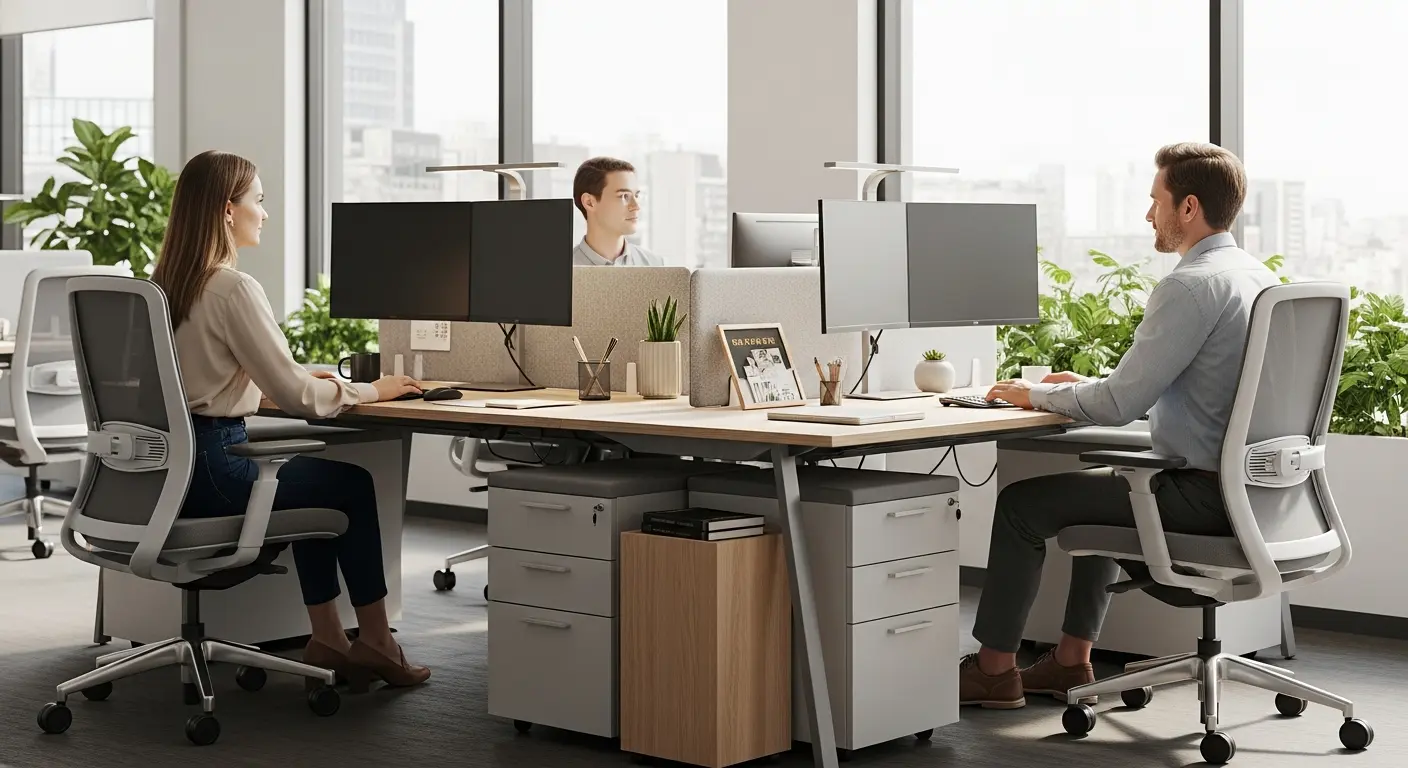
Working alongside a colleague in the same space demands careful organization and appropriate furniture. A well-designed 2 person desk transforms daily collaboration into a smooth and productive experience. According to a Steelcase study, companies that optimize their work environment see an average 17% increase in productivity. This reality drives many organizations to rethink how they arrange their shared spaces.
This guide walks you through creating a double workstation that meets current ergonomic standards while promoting comfort and efficiency for your team members.
Why Choose a Double Desk Setup?
A shared workstation addresses concrete needs of modern businesses. Space optimization, easier colleague interaction, and reduced setup costs rank among the primary motivations.
Benefits of a Dual Workstation
A thoughtfully planned double desk delivers several measurable benefits:
- Space efficiency: A bench desk for two occupies less floor area than two separate individual workstations
- Enhanced communication: Quick exchanges between colleagues become natural and effortless
- Cost reduction: Shared cabling, lighting, and equipment lower overall expenses
- Increased flexibility: Simple reconfiguration as teams evolve
According to a 2024 CBRE study, 70% of companies have adopted hybrid work arrangements. This trend reinforces interest in modular workstations capable of accommodating different configurations depending on the day.
When to Choose a Shared Desk?
A 2 person desk works particularly well in these situations:
- Teams working on joint projects requiring frequent exchanges
- Coworking spaces or open offices with rotating staff
- Permanent pairs (assistant/manager, developers doing pair programming)
- Startups and SMEs optimizing every available square meter
Dimensions and Standards for a 2 Person Desk
Ergonomic workplace design follows established guidelines that ensure worker comfort and safety. These standards have evolved to incorporate new practices related to sit-stand desks and ergonomic furniture.
Recommended Minimum Space
For a dual workstation, recommendations vary by configuration:
| Configuration | Space per Person | Minimum Total Space |
|---|---|---|
| Standard shared office | 120 sq ft (11 m²) | 240 sq ft (22 m²) |
| Double desk with storage | 130-160 sq ft (12-15 m²) | 260-320 sq ft (24-30 m²) |
| Noisy shared environment | 160 sq ft (15 m²) | 320 sq ft (30 m²) |
These areas include circulation zones and storage space necessary for proper workspace function.
Desktop Dimensions
Each position within a 2 person desk should meet minimum dimensions:
- Minimum width: 48 inches (120 cm) per person (ideally 55-63 inches / 140-160 cm)
- Depth: 24 to 32 inches (60-80 cm) to accommodate monitor, keyboard, and documents
- Standard height: 28-30 inches (72-75 cm), or adjustable from 26-49 inches (65-125 cm) for sit-stand models
A bench desk measuring 8 to 12 feet (2.4-3.6 m) in total length comfortably accommodates two colleagues side by side with adequate space for their equipment.
Circulation Space
Standards specify precise passage widths:
- 32 inches (80 cm) minimum for single-person passage
- 60 inches (150 cm) to allow two people to pass each other
- 40 inches (100 cm) clearance behind each chair for easy movement
These dimensions ensure smooth circulation and prevent the claustrophobic feelings that harm wellbeing.
Configuring an Ergonomic Double Desk
Ergonomics in a shared workstation extends beyond dimensions. Several factors contribute to user comfort and prevention of musculoskeletal disorders (MSDs), which account for 55% of workplace injury-related emergency room visits.
Monitor Positioning
Each user's screen should be:
- Placed directly in front (avoiding neck twisting)
- At a distance of 20 to 28 inches (50-70 cm) from the eyes
- With the top of the screen at eye level or slightly below
- Perpendicular to windows to minimize glare
In a double desk arrangement, ensure one colleague's screen doesn't create visual distraction for the other.
The Importance of Ergonomic Seating
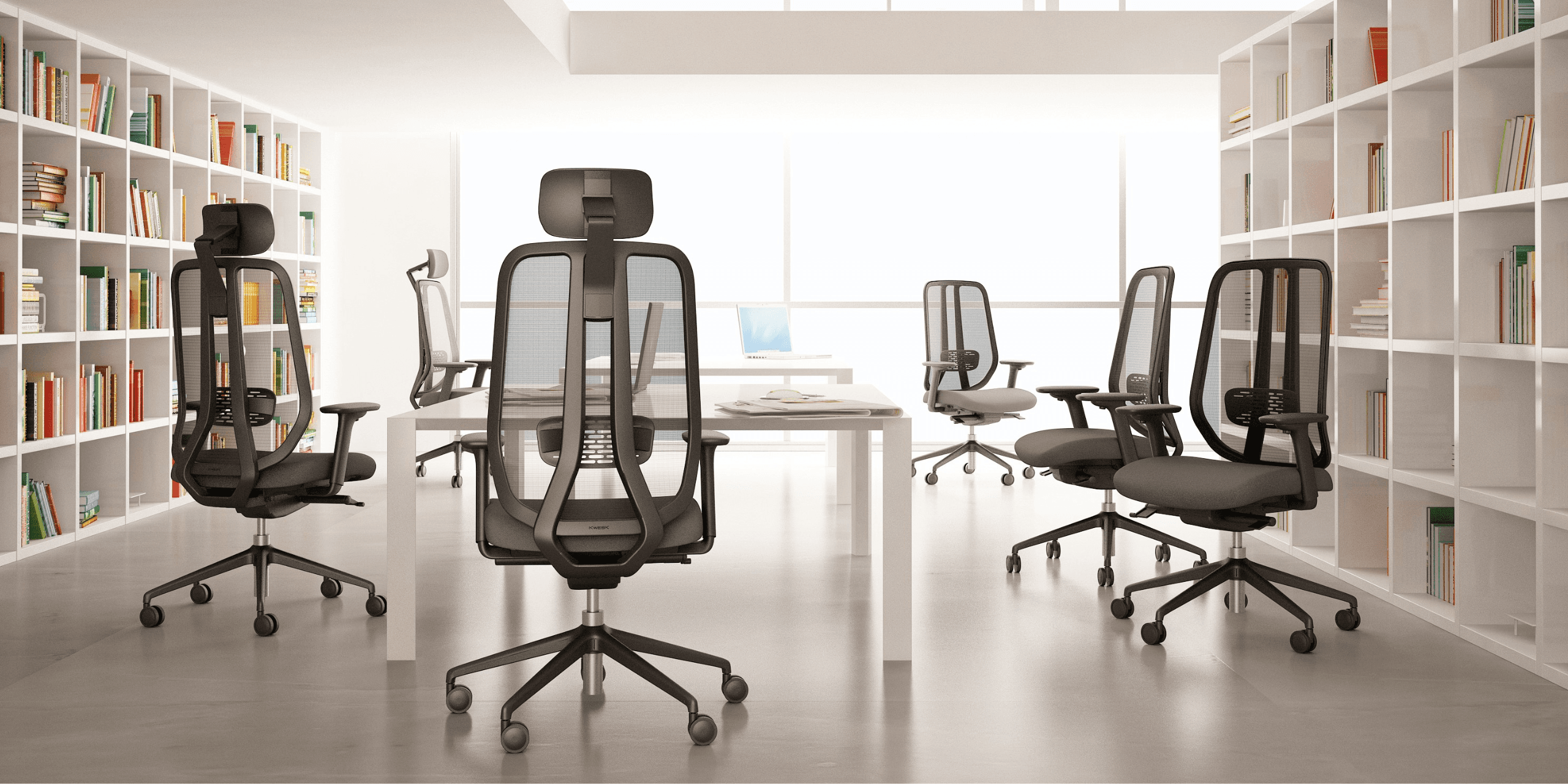
Office chair selection directly impacts health and productivity. An ergonomic chair suited for intensive use reduces fatigue and back pain. For a full comparison of models by use case and budget, our best office chairs 2026 guide is the most complete reference.
For a dual workstation, prioritize chairs offering:
- Seat height adjustment
- Adjustable lumbar support
- Armrests adjustable in height and width
- Seat width allowing natural movement
Companies using optimized ergonomic furniture report an 18% improvement in task cycle time compared to traditional fixed workstations.
Acoustic Management
Noise constitutes one of the primary irritants in shared spaces. For a peaceful 2 person desk:
- Install acoustic divider panels between workstations
- Choose absorbent coverings (carpet, acoustic tiles)
- Provide noise-canceling headphones or nearby quiet zones
- Select quiet equipment (keyboards, printers)
Furniture Suited for Shared Desks
Furniture choice determines the success of your setup. Trends for 2025-2026 favor modularity and sustainability.
Bench Desks: The Preferred Solution
The bench desk represents the most common configuration for a double desk. This furniture offers:
- Continuous desktop allowing side-by-side installation
- Shared base reducing footprint
- Partitioning options with removable divider screens
- Integrated cable management for an organized space
Sit-stand desks have become standard in 2026, allowing users to alternate between sitting and standing throughout the day. This is particularly valuable in shared configurations where users have different postural preferences.
Face-to-Face Configuration
The alternative to the bench desk is face-to-face configuration, with two individual workstations opposite each other:
Advantages:
- Direct communication made easier
- Sense of equity (identical workstations)
- Option to reconfigure into individual stations
Disadvantages:
- Requires central divider for visual privacy
- Increased risk of mutual distraction
- Slightly larger space requirement
Shared and Individual Storage
A functional 2 person desk incorporates suitable storage solutions:
- Individual mobile pedestals under the desk for personal items
- Shared cabinets accessible from both positions
- Wall shelving optimizing vertical space
- Personal lockers for flex office arrangements
Lighting and Ambiance for Your Double Workstation
Lighting directly influences concentration and visual comfort. A dual workstation demands particular attention to this parameter.
Natural Light
Position the shared desk to benefit from natural light without glare:
- Ideal orientation perpendicular to windows
- Blinds or solar films to modulate intensity
- Avoid positioning with back to window (backlight on screen)
Biophilic design, integrating natural light and vegetation, has emerged as a strong trend for workplace wellbeing.
Artificial Lighting
Complement natural light with:
- General lighting of 300-500 lux for ambient illumination
- Individual desk lamps allowing personal adjustment
- Neutral color temperature (4000K) for screen work
- Intensity variation throughout the day
Each occupant of a double desk should be able to adjust their task lighting without impacting their neighbor.
Optimizing Collaboration at a 2 Person Desk
Beyond furniture, work organization determines the success of a shared space. For a broader view of how individual workstation ergonomics supports shared environments, our complete ergonomic workstation guide covers monitor height, chair setup, and accessories in detail.
Establishing Cohabitation Rules
Define usage conventions from the start:
- Preferred hours for phone calls
- Visual signal indicating need for concentration (headphones, sign)
- Management of shared equipment (printer, supplies)
- Organization of common storage
Technology Equipment
A modern 2 person desk incorporates:
- Sufficient electrical and USB outlets (minimum 4 per position)
- Reliable wired and Wi-Fi network connectivity
- Shared video conferencing system if needed
- Docking station for hot desking configurations
Balanced Personalization
Allow space appropriation without excess:
- Defined personal zone for each user
- Reasonably sized frames or plants
- Accessories that don't encroach on neighbor's space
Mistakes to Avoid When Setting Up
Certain pitfalls regularly compromise shared desk projects.
Underestimating Space Needs
An overly cramped dual workstation generates:
- Tension between colleagues
- Concentration difficulties
- Sense of crowding harmful to productivity
Respect minimum standards, or exceed them if budget allows.
Neglecting Acoustics
Ambient noise significantly reduces efficiency. Investing in acoustic solutions during initial design prevents costly later corrections.
Forgetting Adaptability
Teams change, needs evolve. Choose modular furniture allowing reconfiguration of the double desk without complete replacement.
Selecting Unsuitable Furniture
A poorly suited office chair causes back pain and reduced productivity. Select chairs designed for intensive use, with warranties attesting to their durability.
Budget and Return on Investment
Setting up a 2 person desk represents an investment whose return is measured in productivity and wellbeing.
Price Ranges
| Element | Entry Level | Mid-Range | High-End |
|---|---|---|---|
| 2-place bench desk | $450-650 | $900-1,300 | $1,700-2,800 |
| Ergonomic chair (x2) | $350-550 | $700-1,100 | $1,400-2,200 |
| Acoustic divider | $120-220 | $350-550 | $700-1,100 |
| Individual lighting (x2) | $70-120 | $170-280 | $350-550 |
Refurbished furniture can cut costs in half while reducing the carbon footprint of your setup by 70%.
ROI Calculation
Gains manifest through:
- Reduced absenteeism related to MSDs
- Measurable productivity improvement (up to 17% according to Steelcase)
- Better talent retention among employees sensitive to their work environment
- Optimization of real estate cost per square foot
FAQ About 2 Person Desks
How much space should I plan for a 2 person desk?
Ergonomic standards recommend approximately 120 square feet (11 m²) per person in a shared office, meaning 240 square feet (22 m²) minimum for two workstations. For optimal comfort with storage, plan for 260 to 320 square feet (24-30 m²).
What desk width for two people side by side?
A bench desk of 8 to 12 feet (2.4-3.6 m) in length allows two colleagues to work with individual workspace of 4 to 6 feet (120-180 cm) each.
How can I reduce noise in a shared desk?
Install acoustic panels between workstations, choose absorbent coverings, and equip colleagues with noise-canceling headphones for intensive concentration phases.
Face to face or side by side: which to choose?
Side-by-side configuration limits visual distractions and offers more privacy. Face-to-face facilitates direct exchanges but requires a central divider. Your choice depends on task nature and required collaboration level.
Do I need identical chairs for a double desk?
Not necessarily, but equivalent quality ergonomic chairs ensure equal comfort. Each user can still personalize settings according to their body type. See our best office chairs 2026 comparison for a side-by-side breakdown of models at every price point.
Is a sit-stand desk suitable for working in pairs?
Height-adjustable desks work perfectly for shared workstations, provided each position has its own adjustment mechanism. Models with independent surfaces allow each person to alternate according to their preferences.
Conclusion
Setting up an effective 2 person desk requires thorough consideration of dimensions, ergonomics, and space organization. By respecting current standards and investing in quality furniture, you create conditions for productive and peaceful collaboration.
The trend toward hybrid work and flexible spaces reinforces the importance of these shared configurations. A well-designed dual workstation directly contributes to team performance and optimization of your office space.
To equip your double desk with ergonomic chairs designed for intensive use, discover the KWESK ranges — and explore our best office chairs 2026 guide to find the right model for every seat at your shared desk. Our chairs, backed by a 5-year warranty, support your colleagues in their daily work with the comfort and durability they deserve.
Contact our experts for personalized guidance in setting up your shared workspaces.