You spend an average of 7 to 8 hours a day sitting at your desk. Yet, how much time have you dedicated to your workstation ergonomics? In 2025, musculoskeletal disorders (MSDs) account for nearly 88% of recognized occupational diseases, with an average cost exceeding $4,500 per employee per year (Source: WeProtege, 2025). The good news: a well-designed workstation setup can significantly reduce these risks while improving your team's performance.
Why Office Ergonomics Is a Strategic Priority
Professional office ergonomics goes beyond buying a comfortable chair. It's a comprehensive approach that impacts health, productivity, and talent retention.
Numbers that speak for themselves
According to the UFIPA 2025 barometer, 64% of employees cite ergonomics as a top priority for improving their work environment. And they're right: companies that invest in ergonomics see tangible results.
- +18% faster cognitive processing through reduced micro-interruptions caused by discomfort (Source: Optimeo, 2025)
- -57% musculoskeletal disorders after implementing ergonomic measures (Source: Market.biz, 2025)
- -58% absenteeism in companies that prioritize ergonomics (Source: BostonTec, 2025)
- ROI of 2:1 to 10:1 on ergonomic investments, with payback starting at just 8 months (Source: UC Berkeley COEH)
A demanding regulatory framework
Labor laws require employers to ensure the physical and mental safety of their employees. This includes workstation assessments, tailored recommendations, and contributing to ergonomic equipment costs. Standards such as ISO 14738 and ANSI/HFES 100 precisely define the dimensions required for seated and standing workstations (Source: OSHA).
Ignoring these obligations exposes companies to legal risks and a loss of competitiveness. In fact, 75% of workers report having experienced at least one difficulty related to a poorly designed work environment (Source: UFIPA, 2025).
The Fundamentals of Proper Desk Posture
Before discussing furniture, it's essential to understand what good desk posture looks like. A correct working position reduces strain on your spine, shoulders, and wrists.
The 90-degree rule
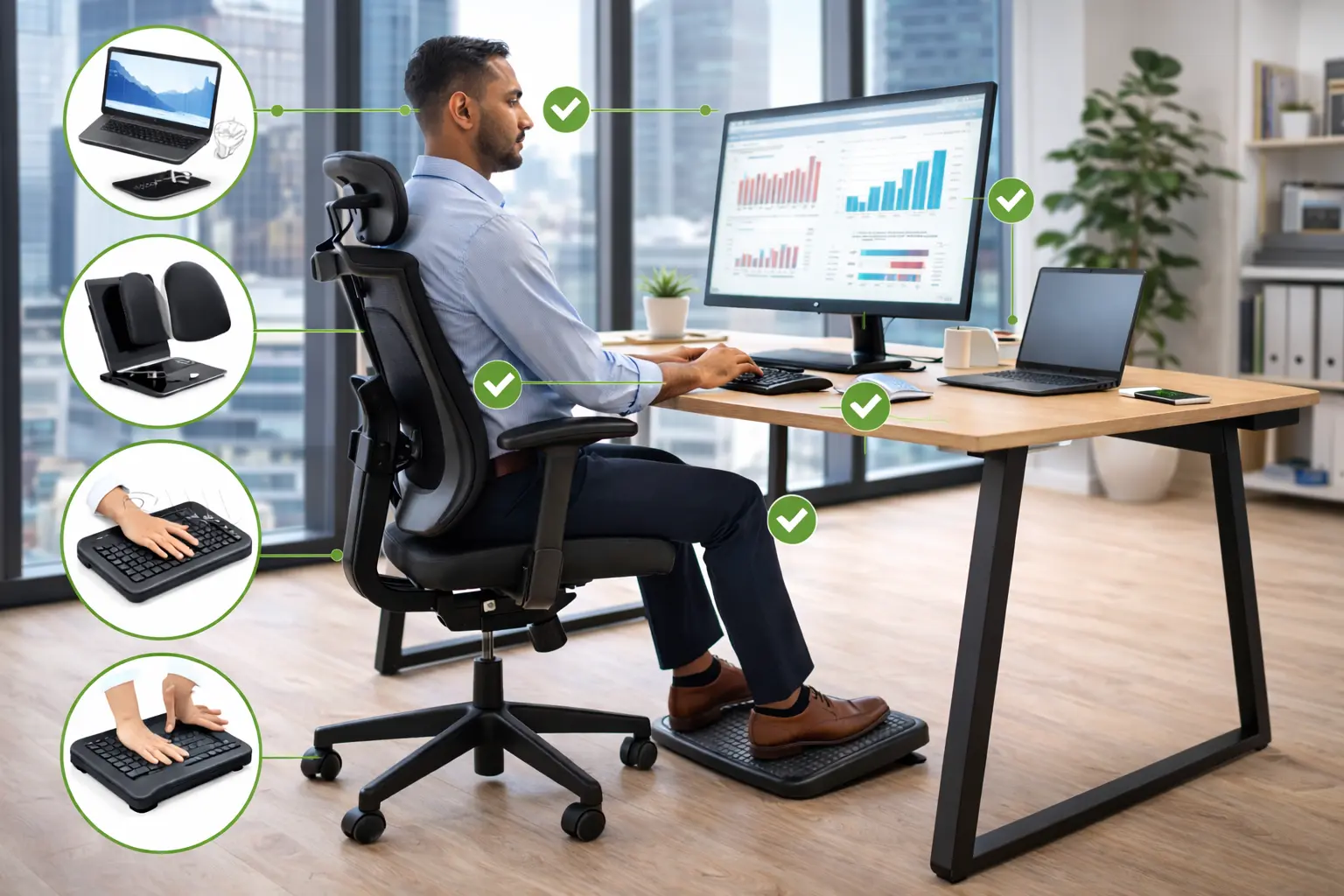
The basic principle for ergonomic posture relies on 90-degree angles at three key joints:
- Elbows: your forearms should be parallel to the floor, forming a 90° angle at the elbow
- Hips: your thighs should be horizontal, with a 90° angle between your torso and thighs
- Knees: a 90° angle at the knees, with feet flat on the floor
Screen positioning
Your screen should be placed 20 to 28 inches (50 to 70 cm) from your eyes. The top edge of the screen should be at eye level or slightly below. This position prevents excessive head tilting, a common source of neck pain.
Practical tip: if you use a laptop, invest in a laptop stand and an external keyboard. A laptop alone forces you to look down, creating tension in your neck and shoulders.
Hand and wrist positioning
Your wrists should remain in a neutral position while typing, without flexing up or down. A slightly tilted keyboard positioned so your forearms are supported helps prevent carpal tunnel syndrome.
For more on pain caused by poor posture, check out our guide on how to choose an office chair for back pain.
How to Successfully Set Up Your Workstation
An effective workstation setup relies on five essential elements: the chair, the desk, the screen, accessories, and the environment.
The ergonomic chair: the centerpiece
Choosing the right chair is arguably the most important investment. A quality ergonomic chair should offer:
- Height adjustment to adapt the chair to your height and desk level
- Adjustable lumbar support to maintain the natural curve of your lower back
- Adjustable armrests in height and width to relieve shoulder strain
- Adjustable seat depth for optimal thigh support
- Synchronized tilt mechanism to follow your body's natural movements
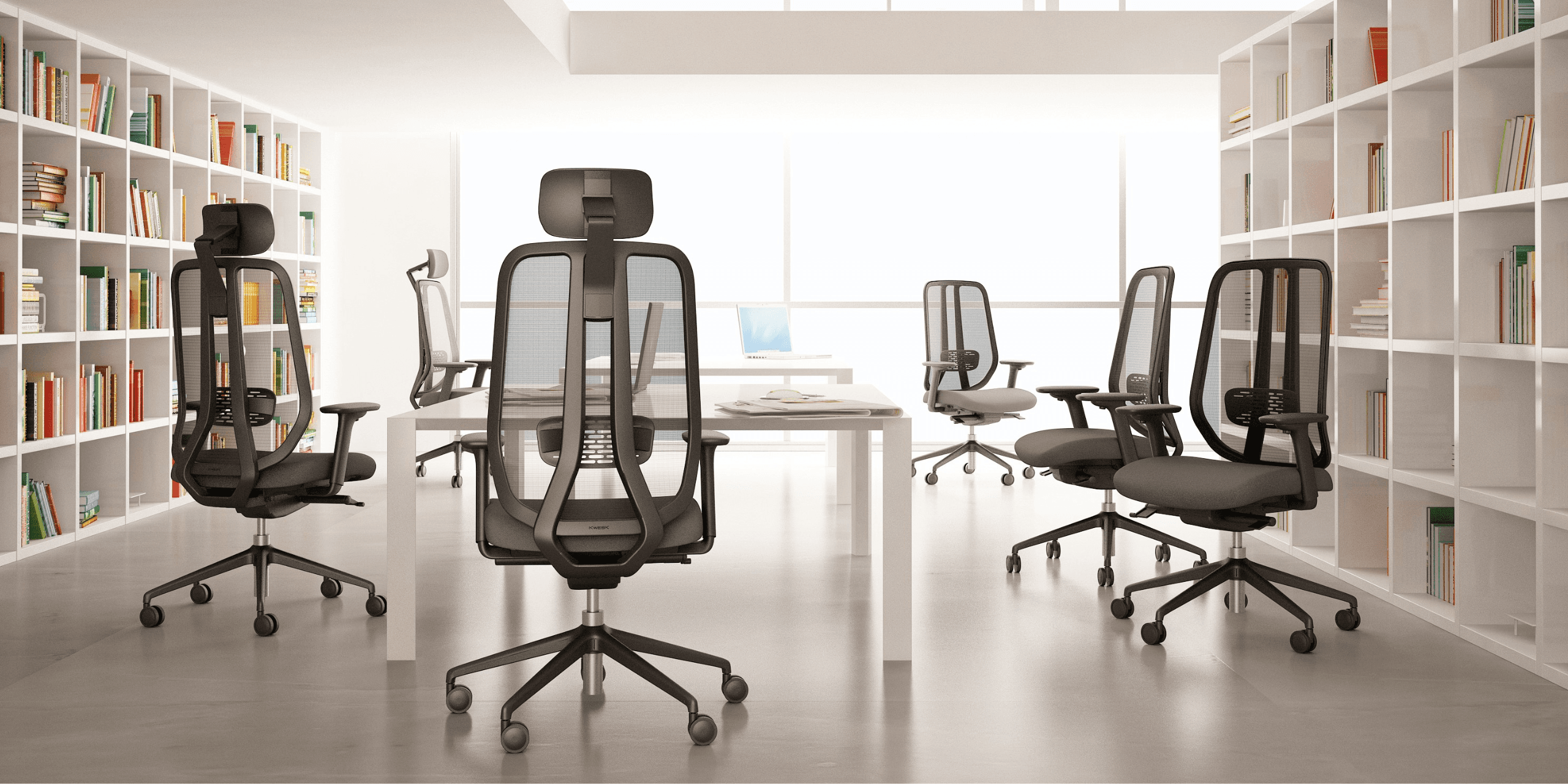
For intensive-use workstations, such as call centers or computer stations occupied for more than 6 hours a day, choose chairs designed for prolonged use. Ranges like the KWESK Challenger are specifically engineered for these demanding environments, featuring durable materials and a 5-year warranty. For a full comparison of all models by use case and budget, see our best office chairs 2026 guide.
The desk: dimensions and configuration
Ergonomic standards recommend the following dimensions for a workstation surface:
| Criteria | Recommendation |
|---|---|
| Depth | Minimum 32 in / 80 cm (44 in / 110 cm for more than 2 screens) |
| Width | Minimum 63 in / 160 cm (71 in / 180 cm recommended) |
| Fixed height | 29 in / 72 cm standard |
| Adjustable height | 26 to 49 in / 65 to 125 cm (sit-stand) |
A sit-stand desk allows you to alternate between sitting and standing throughout the day. According to an OpinionWay survey for Harmonie Mutuelle (2025), 71% of workers would like to work more dynamically, regularly standing up or walking. For shared desks or two-person setups, our 2-person desk setup guide covers the specific configuration requirements.
Lighting and environment
The work environment plays an often underestimated role in professional office ergonomics. Here are the key parameters to monitor:
- Lighting: prioritize natural light and supplement with artificial lighting of 300 to 500 lux. Avoid screen glare by positioning your desk perpendicular to windows
- Temperature: standards recommend between 68°F and 79°F (21°C to 26°C)
- Humidity: maintain between 40% and 70% relative humidity
- Noise: 51% of employees report concentration issues related to noise (Source: UFIPA, 2025). Plan soundproofing solutions in open-plan offices
For layout solutions tailored to open spaces, explore our guide on how to set up an open-plan office.
Essential Ergonomic Accessories
Beyond the main furniture, certain accessories effectively enhance your workstation ergonomics.
For postural comfort
- Footrest: essential if desk height doesn't allow your feet to rest flat on the floor. It reduces pressure under the thighs and improves blood circulation
- Additional lumbar support: useful as a supplement to built-in chair support, especially for older chairs
- Monitor stand or articulated arm: allows precise adjustment of screen height and distance
For upper limb MSD prevention
- Vertical mouse: reduces forearm tension by maintaining a natural hand position
- Ergonomic keyboard: curved or split models decrease wrist strain
- Wrist rest: provides support during typing pauses (do not use during active typing)
- Forearm support: attached to the desk, it relieves shoulders and trapezius muscles
For storage and organization
A cluttered workspace generates stress and forces awkward postures to reach documents. 40% of employees report losing time due to clutter and lack of tools (Source: UFIPA, 2025). Invest in desk storage solutions to keep your space tidy and functional.
Micro-Breaks: An Essential Complement
Even with the best possible workstation setup, prolonged sitting remains harmful. Experts recommend:
- 1 to 2-minute micro-breaks every 30 minutes: stand up, stretch, look into the distance to rest your eyes
- 5 to 10-minute active breaks every 2 hours: walk, do targeted stretches
- Sit-stand alternation: change positions regularly if you have a height-adjustable desk
These breaks don't hinder productivity — quite the opposite. Employees with an adapted environment show 23% fewer attention fluctuations (Source: Optimeo, 2025), resulting in better focus on high-value tasks.
Practical Checklist: Auditing Your Workstation Ergonomics
Use this checklist to quickly assess the desk posture and ergonomics of each workstation in your company:
The chair:
- Height adjustable allowing feet flat on the floor
- Adjustable lumbar support
- Height-adjustable armrests
- Sufficient seat depth (2-3 finger gap between seat edge and back of knee)
- Good overall condition (foam not sagging, mechanisms working)
The desk:
- Height suited to user (elbows at 90° when typing)
- Sufficient surface for all equipment
- Adequate legroom underneath
The screen:
- Top edge at eye level
- Distance of 20 to 28 inches (50 to 70 cm)
- No glare
- Brightness adjusted to surroundings
The environment:
- Sufficient lighting without glare
- Comfortable temperature (68-79°F / 21-26°C)
- Acceptable noise level
If you identify areas for improvement, our guide on office layout and design will help you plan the necessary adjustments.
Real-World Case: The ROI of an Ergonomic Program
For a 50-workstation office, here's an estimated financial impact of a professional office ergonomics program:
Initial investment:
- 50 professional-grade ergonomic chairs: $16,000 to $27,000
- Accessories (monitor stands, footrests, etc.): $3,200 to $5,400
- Ergonomic audit and training: $2,200 to $4,300
- Total: $21,400 to $36,700
Estimated annual savings:
- Reduced MSD-related absenteeism (-58%): savings of $11,000 to $22,000 per year
- Productivity gains (+15 to 18%): direct impact on revenue
- Reduced turnover (-48%): savings on recruitment costs
With an average ROI of 2:1 to 10:1 and payback starting at just 8 months, ergonomic workstation design is one of the most profitable investments a company can make (Source: UC Berkeley COEH).
Guide by Workstation Type
Your workstation ergonomics should adapt to the type of work being performed. Here are the priorities by role.
Standard computer workstation
Priority goes to screen adjustment, chair quality, and keyboard/mouse positioning. Check out our guide to the best office chairs for 2026 for a full comparison of models suited to daily computer use.
Executive workstation
Prolonged comfort and professional image matter equally. A premium executive chair like the KWESK Exclusive combines ergonomics and aesthetics. For a leather option, see our guide on leather office chairs.
Meeting rooms and reception areas
Visitor and conference seating requires different ergonomic criteria than permanent workstations. Our visitor chair buying guide covers what to look for in seating designed for shorter, intermittent use.
Remote workstation
Setting up a home office deserves just as much attention as a professional office. Even in a small space, it's possible to create a functional ergonomic workstation.
Conclusion
Workstation ergonomics isn't a luxury — it's a measurable performance lever. With 88% of occupational diseases linked to MSDs and an average cost exceeding $4,500 per employee, companies that neglect this area pay a steep price in absenteeism, turnover, and lost productivity.
The right approach starts with auditing your current workstations, then gradually investing in priority equipment: ergonomic chairs, screen adjustments, and adapted accessories. Our best office chairs 2026 comparison is a good starting point to find the right model for each workstation type in your office.
Ready to transform your workspaces? Explore KWESK professional chair ranges, designed for intensive use with a 5-year warranty, or contact our team for personalized guidance on ergonomic office design.