Looking for a practical solution to improve comfort and productivity for your teams at the office? The sit-stand desk stands out today as one of the most worthwhile investments in professional ergonomics. According to the Occupational Health Observatory, employees equipped with a sit-stand workstation report a 15% increase in productivity and a 32% reduction in end-of-day fatigue. In this complete guide, we explain why you should adopt a standing desk, how to choose one, and which criteria to prioritize for a successful purchase.
What Is a Sit-Stand Desk?
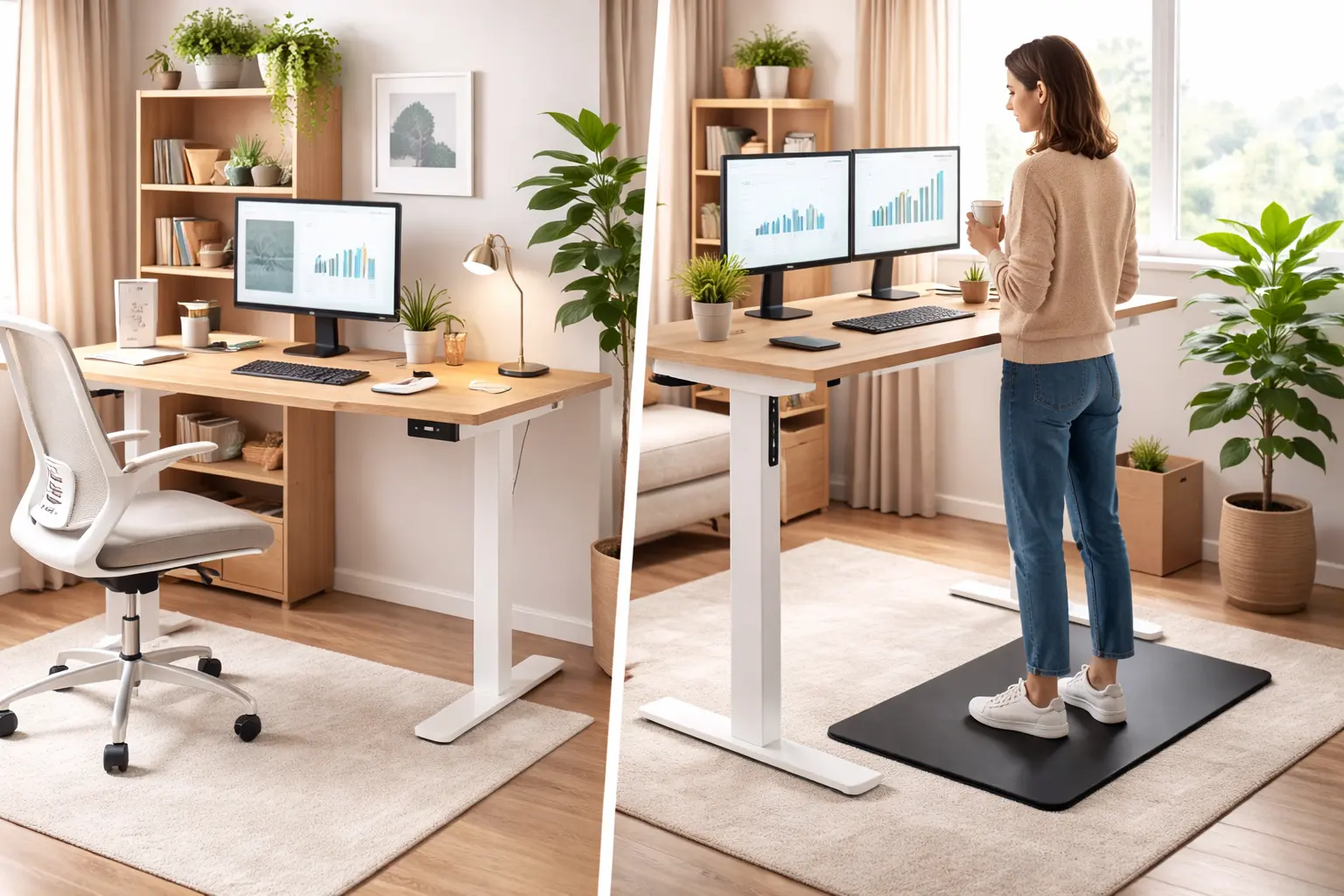
A sit-stand desk, also known as a standing desk or height-adjustable desk, is a workstation whose surface can be adjusted in height. It allows the user to alternate between a seated and standing position throughout the day without interrupting their work.
How Does a Height-Adjustable Desk Work?
The adjustment mechanism can be:
- Electric: one or two motors adjust the height at the push of a button. This is the most popular solution in business settings thanks to its ease of use.
- Manual crank: a mechanical system raises or lowers the surface. More affordable, but less practical for frequent changes.
- Pneumatic: a gas cylinder handles the adjustment. Fast and quiet, but with a more limited load capacity.
High-end electric models offer advanced features such as programmable height presets, allowing you to switch between positions with a single gesture.
Health Benefits of the Sit-Stand Desk
Sedentary work poses a major public health challenge. Musculoskeletal disorders affect the vast majority of office workers today, and prolonged sitting is directly linked to obesity, cardiovascular disease, and diabetes. The ergonomic sit-stand desk provides concrete answers to these issues.
Reduction of Back and Neck Pain
Sitting for hours places constant pressure on the intervertebral discs. By alternating with a standing position, you reduce this pressure and engage different muscle groups. Studies show that sit-stand desk users report a significant decrease in neck and shoulder pain (Source: PMC, National Library of Medicine).
If your employees already suffer from back pain, pairing a standing desk with a suitable ergonomic chair maximizes the benefits for the spine.
Improved Blood Circulation
Alternating between sitting and standing positions allows blood to circulate more effectively, reducing the risks associated with prolonged inactivity by 40% according to the French National Institute for Research and Safety (INRS). This improved circulation prevents heavy leg sensations and reduces the risk of deep vein thrombosis.
Boosted Energy Levels and Mood
Working while standing stimulates endorphin production and increases overall energy levels. Standing desk users frequently report increased vitality and better mood throughout the day, translating into stronger professional engagement.
Sit-Stand Desks and Productivity: What Do the Studies Say?
The impact of height-adjustable desks on productivity has been the subject of extensive research. Results are broadly positive, though some nuances deserve attention.
Encouraging Numbers
A study conducted in a call center found that employees using sit-stand desks were approximately 45% more productive than their seated colleagues, with improvement growing from 23% in the first month to 53% after six months of use (Source: IIE Transactions on Occupational Ergonomics and Human Factors).
Additionally, 65% of people equipped with a height-adjustable desk report better productivity and improved concentration ability after one year of use (Source: Steelcase Research).
Less Sitting, More Dynamism
A systematic review of available studies shows that sit-stand desks reduce total time spent sitting by 70 to 88 minutes per day on average. This time recovered in a standing position activates metabolism and keeps the mind alert.
An Investment That Pays for Itself
For businesses, the calculation is straightforward: less absenteeism related to musculoskeletal disorders, better team concentration, and increased engagement. When you consider that musculoskeletal disorders represent the leading cause of sick leave, investing in an ergonomic height-adjustable desk makes perfect sense.
How to Choose the Best Sit-Stand Desk: Essential Criteria
Choosing a sit-stand desk suited to your professional needs relies on several technical criteria that should be carefully evaluated.
Height Adjustment Range
This is the most important criterion. The desk must be able to adapt to each user's height, in both seated and standing positions. The ideal range is between 63 and 120 cm. Beware of entry-level models that max out at 110-115 cm: a tall user will end up leaning forward, which negates the ergonomic benefits.
Golden rule: in your working position, your elbows should form a 90° angle with your forearms parallel to the floor, whether you are sitting or standing.
Desktop Dimensions
The desktop size should match your use:
- Single monitor setup: 120 × 60 cm minimum
- Dual monitor setup: 140 × 70 cm recommended
- Full workstation (monitors + documents): 160 × 80 cm ideal
Depth is often overlooked. Allow between 60 and 80 cm to maintain proper distance from your screen and ensure a comfortable workspace.
Load Capacity
Weigh your complete setup: monitor(s), monitor arm, keyboard, computer, accessories. A quality height-adjustable desk supports between 70 and 120 kg. Dual-motor models generally offer better load capacity and increased stability.
Stability at Maximum Height
A desk that wobbles when you type at the keyboard in standing position is unusable. Test stability at maximum height. Models with a steel frame and lateral crossbars offer the best rigidity.
Motor Noise Level
In an open-plan office, a noisy motor quickly becomes a problem. Choose models whose noise level stays below 50 dB, equivalent to a quiet conversation.
Additional Features
- Height presets: save your favorite positions for instant adjustment
- Anti-collision system: the desk stops automatically if it encounters an obstacle
- Integrated cable management: for a tidy workspace
- Position alert: programmable reminder to encourage you to change positions
Proper Sit-Stand Desk Positioning: Ergonomic Rules
Buying a standing desk is not enough. To reap all the benefits, you need to use it correctly.
Ideal Seated Posture
- Feet flat on the floor
- Knees bent at 90°
- Back straight, supported by the backrest of your ergonomic chair
- Shoulders relaxed, elbows at 90°
- Screen at eye level, approximately 50-70 cm from your face
Ideal Standing Posture
- Weight evenly distributed on both feet
- Knees slightly bent (never locked)
- Spine straight and natural
- Same arm and screen positioning as when seated
The Right Alternation Rhythm
Ergonomists recommend following the 30-30 rule: 30 minutes seated, 30 minutes standing. Some experts recommend a 2:1 ratio (40 minutes seated, 20 minutes standing) for beginners. The key is to move regularly rather than staying frozen in one position.
Sit-Stand Desk: What Budget to Plan For?
The price of a sit-stand desk varies considerably depending on build quality, motor type, and available features.
Price Ranges
| Range | Indicative Price | Characteristics |
|---|---|---|
| Entry-level | €200 - €400 | Manual or single motor, basic desktop, few features |
| Mid-range | €400 - €800 | Electric dual motor, height presets, good stability |
| High-end | €800 - €1,500+ | Silent dual motor, anti-collision, premium desktop, extended warranty |
Investment for Businesses
For a professional office layout, opt for mid-range or high-end models. A quality desk lasts 10 to 15 years, and its cost quickly diminishes compared to savings on absenteeism and sick leave. Also consider the comfort of your shared workspaces by choosing quiet models.
The Winning Combination: Sit-Stand Desk and Ergonomic Chair
A height-adjustable desk reaches its full potential when paired with a quality chair. During seated phases, a professional ergonomic chair maintains the natural lumbar curve and supports the body's micro-movements.
Characteristics of a Good Complementary Chair
- Adjustable lumbar support to support the lower back
- Adjustable armrests that align with the desk height
- Adjustable seat depth for optimal thigh support
- Synchronous mechanism that follows your posture changes
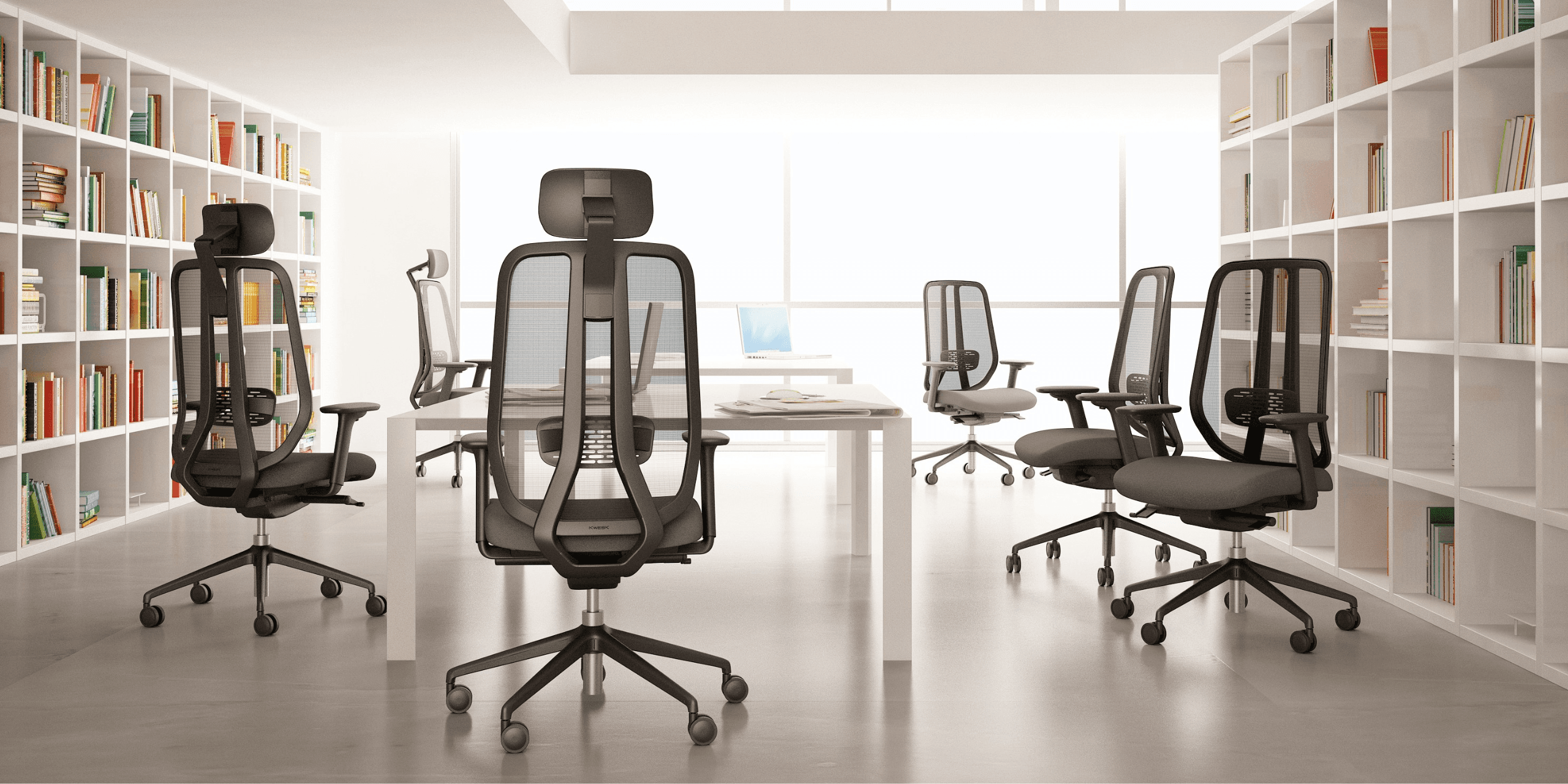
At KWESK, our ranges of professional office chairs are designed for intensive use and pair perfectly with sit-stand workstations. The Gamma range, for example, offers adjustable lumbar support and a synchronous mechanism ideal for frequent transitions.
For executives and managers seeking both ergonomics and prestige, discover our selection of executive chairs perfectly suited for sit-stand desks.
Practical Tips for a Successful Transition
Switching to a sit-stand desk requires an adjustment period. Here are our recommendations for a successful transition.
Start gradually: begin with 15 to 20 minutes standing per hour, then increase progressively. Pushing too hard from the start can cause foot and lower back pain.
Invest in an anti-fatigue mat: an ergonomic mat reduces pressure on joints and encourages micro-movements of the feet, improving blood circulation.
Wear appropriate footwear: avoid high heels and overly flat shoes. Choose footwear with good cushioning and arch support.
Organize your workstation: tidy cables, accessories within reach, properly positioned screen. A well-arranged computer desk makes transitions between positions easier.
Listen to your body: if you feel discomfort, change positions. The goal is not to stand as long as possible but to alternate regularly.
Sit-Stand Desk for Remote Work
The growth of remote work has significantly accelerated the adoption of standing desks at home. In a home office, space is often limited, requiring adapted choices.
Specific Criteria for Remote Work
- Compact dimensions: a 120 × 60 cm desktop suits most small office spaces
- Refined design: the desk is part of your living space, so choose an aesthetically pleasing model
- Minimal noise level: in an apartment, motor silence is even more important
- Easy assembly: choose models that come pre-assembled or are easy to install
Conclusion
The sit-stand desk is no longer just a trendy gadget: it is an ergonomic tool whose benefits for health, comfort, and productivity are well documented by scientific research. Whether you are equipping a 50-workstation open-plan office or a home office, the height-adjustable desk represents a lasting investment in your team's well-being.
To maximize the benefits of your sit-stand workstation, don't forget to pair it with a quality ergonomic chair. Discover the KWESK professional chair ranges designed for intensive use and exceptional durability, backed by a 5-year warranty.
Need personalized advice for equipping your offices? Contact our team for a quote tailored to your needs and budget.