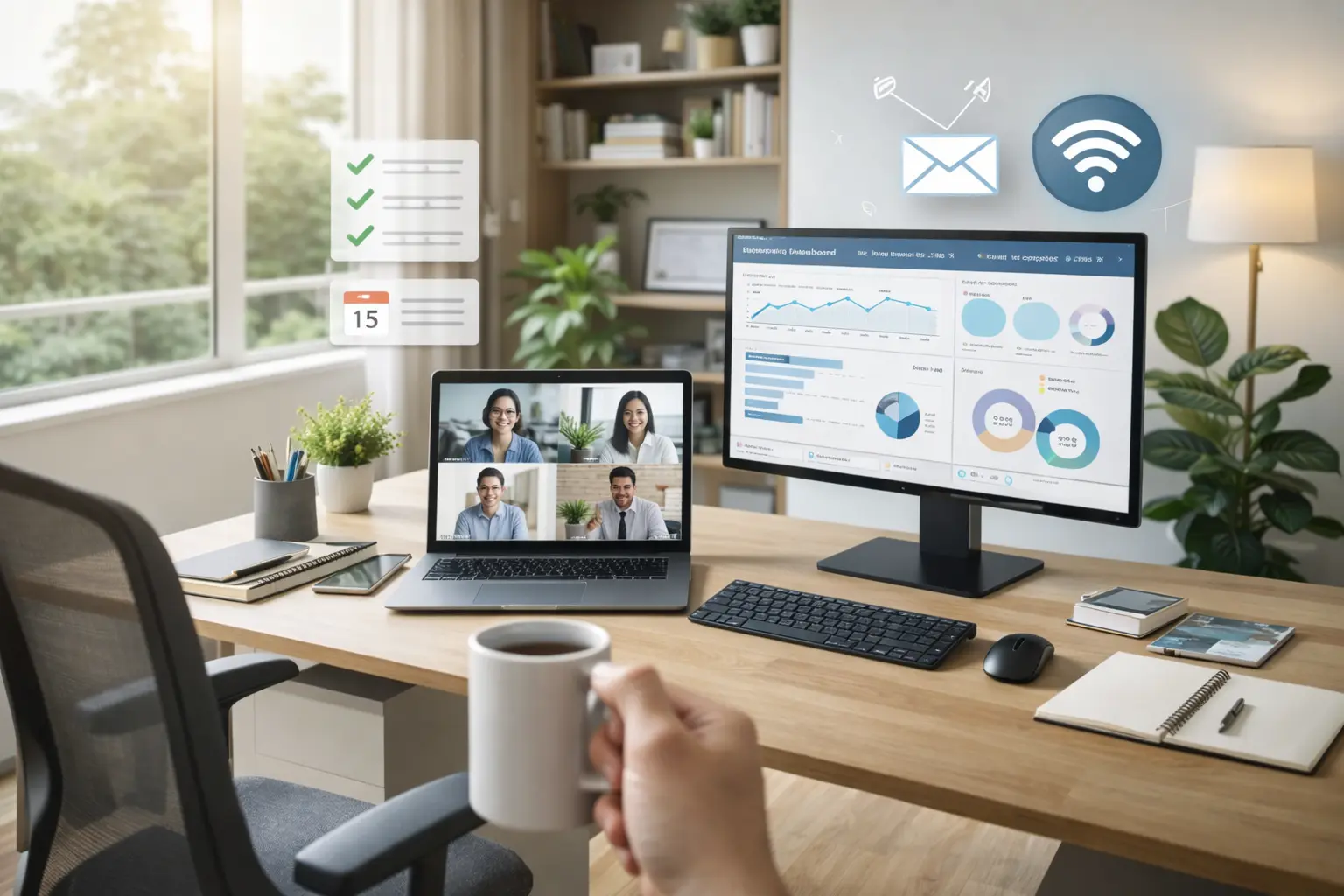
Travailler depuis chez soi est devenu une réalité pour des millions de professionnels. Pourtant, aménager un bureau à la maison qui favorise réellement la productivité et le bien-être reste un défi pour beaucoup. Selon une étude récente, 92 % des Français en télétravail exercent exclusivement depuis leur domicile, en moyenne 2 à 3 jours par semaine. Or, un espace de travail mal pensé peut rapidement transformer cette flexibilité en source de douleurs, de fatigue et de baisse de performance. Voici comment créer un bureau pour la maison qui conjugue confort, efficacité et ergonomie.
Pourquoi un Bureau à la Maison Bien Aménagé Change Tout
L'amenagement bureau maison ne se limite pas à poser un ordinateur sur la table de la cuisine. C'est un investissement qui impacte directement votre santé, votre concentration et vos résultats professionnels.
L'impact sur la productivité
Les chiffres parlent d'eux-mêmes : la Human Factors and Ergonomics Society rapporte une augmentation de 15 % de la productivité lorsque les employés travaillent dans un environnement ergonomique. À l'inverse, un employé de bureau moyen n'est réellement productif que 2 heures et 53 minutes sur une journée de 8 heures — soit à peine 31 % du temps. Un bureau à la maison bien conçu peut considérablement améliorer ce ratio.
L'impact sur la santé
Travailler sur un siège inadapté ou dans une mauvaise posture pendant des heures entraîne des troubles musculosquelettiques (TMS), des douleurs lombaires et une fatigue chronique. Selon les données ergonomiques, un fauteuil ergonomique adapté garantit entre 15 % et 20 % de productivité supplémentaire, tout en réduisant les risques de blessures.
L'impact sur l'équilibre vie pro / vie perso
Un espace de télétravail clairement délimité aide votre cerveau à basculer entre le mode « travail » et le mode « détente ». Sans cette séparation, la frontière entre vie professionnelle et personnelle s'estompe, ce qui augmente le stress et réduit la qualité du repos.
Choisir le Bon Emplacement pour Votre Bureau
L'emplacement de votre bureau pour la maison est la première décision à prendre — et probablement la plus importante.
Pièce dédiée ou coin aménagé ?
L'idéal est de disposer d'une pièce séparée que vous pouvez fermer en fin de journée. Mais tout le monde n'a pas ce luxe. Dans un petit logement, un coin bien délimité dans le salon ou la chambre peut tout à fait fonctionner. L'essentiel est de distinguer clairement l'espace de travail du reste de la maison : un bureau mural escamotable, une étagère faisant office de séparateur ou même un simple tapis sous le bureau suffisent à créer cette frontière psychologique.
L'importance de la lumière naturelle
Placez votre bureau près d'une fenêtre, mais pas face à elle. La meilleure configuration est de positionner votre écran perpendiculairement à la fenêtre. Cette orientation offre une lumière douce et latérale, évite les reflets sur l'écran et vous permet de lever les yeux vers l'extérieur pour reposer votre vue. Évitez absolument de tourner le dos à la lumière naturelle : cela provoque fatigue oculaire, reflets et manque de stimulation visuelle.
Le calme avant tout
Éloignez-vous des zones de passage et des sources de bruit. Si vous n'avez pas le choix, investissez dans un casque antibruit ou des panneaux acoustiques. Le bruit ambiant au-delà de 55 décibels réduit significativement la capacité de concentration.
Le Mobilier Essentiel pour un Bureau à la Maison Productif
Le choix du mobilier détermine votre confort sur le long terme. Voici les éléments indispensables pour un amenagement bureau maison réussi.
Le siège : votre allié numéro un
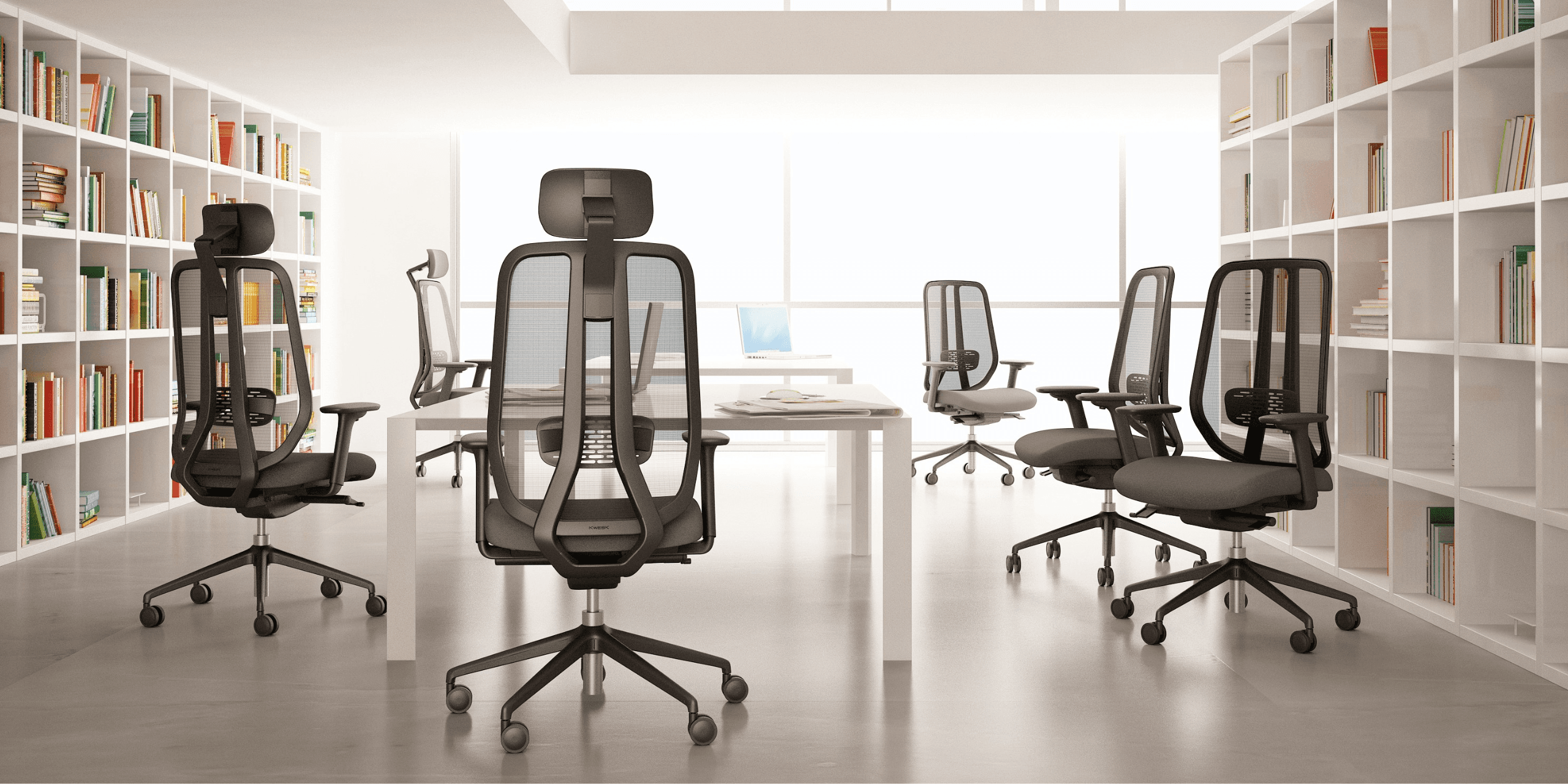
Vous passerez entre 6 et 10 heures par jour assis. Le siège est donc l'investissement prioritaire. Oubliez la chaise de cuisine ou le tabouret design : il vous faut un siège ergonomique offrant :
- Un soutien lombaire ajustable pour respecter la courbure naturelle de votre dos
- Des accoudoirs réglables pour soulager les épaules et les cervicales
- Une assise réglable en hauteur pour que vos cuisses soient parallèles au sol
- Un mécanisme de bascule pour varier les positions au fil de la journée
- Un revêtement respirant pour éviter l'inconfort thermique
Les gammes professionnelles comme la Challenger de KWESK sont conçues pour un usage intensif avec une garantie de 5 ans — un critère essentiel quand on travaille depuis chez soi quotidiennement.
Le bureau : dimensions et hauteur
Un bon bureau de télétravail doit mesurer au minimum 120 × 60 cm pour accueillir confortablement un écran, un clavier et une zone de prise de notes. La hauteur standard se situe entre 72 et 75 cm, mais l'idéal est un bureau informatique réglable en hauteur qui s'adapte précisément à votre morphologie. Le critère clé : vos coudes doivent former un angle de 90° lorsque vos mains sont posées sur le clavier.
Le rangement : un espace organisé est un esprit clair
Le désordre est un ennemi silencieux de la productivité. Prévoyez un meuble de rangement à portée de main pour vos documents, fournitures et câbles. Des accessoires comme un passe-câbles, un support d'écran ou un organiseur de bureau contribuent à maintenir un espace net et fonctionnel.
Les Règles d'Or de l'Ergonomie en Télétravail
L'ergonomie n'est pas un luxe — c'est une nécessité pour quiconque passe plusieurs heures par jour devant un écran. Voici les ajustements essentiels.
Position de l'écran
- Placez l'écran à une distance de 50 à 70 cm de vos yeux (environ la longueur d'un bras tendu)
- Le haut de l'écran doit se situer au niveau de vos yeux ou légèrement en dessous
- L'écran doit être bien en face de vous pour éviter toute torsion du cou ou du dos
Posture assise
- Posez les pieds à plat sur le sol (utilisez un repose-pieds si nécessaire)
- Asseyez-vous au fond de l'assise pour que le dossier soutienne votre zone lombaire
- Vos cuisses doivent être parallèles au sol, les hanches formant un angle de 90° à 110°
- Gardez les épaules détendues, pas remontées vers les oreilles
Un fauteuil conçu pour lutter contre le mal de dos fait toute la différence pour maintenir cette posture sans effort tout au long de la journée.
Clavier et souris
Placez votre clavier et votre souris proches de votre corps, coudes le long du corps. Vos poignets doivent rester en position neutre — ni trop hauts, ni trop bas. Un repose-poignets peut aider à prévenir le syndrome du canal carpien.
La règle du mouvement
Le meilleur poste de travail est celui qui vous incite à bouger régulièrement. Alternez entre position assise et debout si possible, et appliquez la règle 20-20-20 : toutes les 20 minutes, regardez un objet situé à 20 pieds (6 mètres) pendant 20 secondes. Levez-vous et marchez au moins 5 minutes toutes les heures.
Les 7 Erreurs à Éviter dans l'Aménagement de Votre Bureau
Même avec les meilleures intentions, certaines erreurs reviennent fréquemment. Voici celles qui peuvent ruiner votre confort et votre efficacité.
1. Négliger le siège
C'est l'erreur la plus coûteuse à long terme. Beaucoup recyclent une chaise de salle à manger ou optent pour un modèle design mais non ergonomique. Résultat : douleurs dorsales en quelques semaines et baisse de concentration. Un siège professionnel est un investissement dans votre santé.
2. Ignorer l'éclairage
Compter uniquement sur le plafonnier de la pièce est insuffisant. Ajoutez une lampe de bureau avec un éclairage de 4 000 à 5 000 kelvins (lumière blanche neutre) pour un contraste équilibré avec votre écran. Un éclairage mal réparti accélère la fatigue visuelle.
3. Travailler sur un écran trop bas
L'écran d'un ordinateur portable est trop bas pour un usage prolongé. Il force votre cou à se pencher vers l'avant, créant des tensions cervicales. Utilisez un support pour surélever l'écran et connectez un clavier externe.
4. Oublier la ventilation et la température
Un bureau à la maison mal ventilé ou trop chaud diminue la vigilance. La température idéale pour la concentration se situe entre 20 °C et 22 °C. Aérez votre espace de travail régulièrement.
5. Sous-estimer les nuisances sonores
Le bruit des enfants, de la télévision ou de la rue peut fragmenter votre attention. Si vous ne pouvez pas vous isoler physiquement, un casque à réduction de bruit active est un investissement rentable.
6. Accumuler le désordre
Un bureau encombré sollicite inutilement votre attention. Rangez chaque soir pour retrouver un espace net le lendemain matin. La méthode est simple : chaque objet doit avoir une place attitrée.
7. Ne pas séparer espace pro et espace perso
Travailler depuis le canapé ou le lit brouille les repères de votre cerveau. Même dans un studio, créez une zone exclusivement dédiée au travail. Cette séparation physique favorise la déconnexion en fin de journée.
Optimiser Votre Espace Selon Votre Budget
L'amenagement bureau maison ne nécessite pas forcément un budget conséquent. Voici comment prioriser vos investissements.
Budget essentiel (moins de 500 €)
- Un siège ergonomique de qualité : c'est la priorité absolue. Consultez notre guide pour choisir le meilleur fauteuil de bureau pour faire le bon choix
- Un support d'écran ou une pile de livres pour rehausser votre moniteur
- Une lampe de bureau à température de couleur réglable
Budget confort (500 € à 1 500 €)
- Un siège professionnel haut de gamme avec garantie longue durée
- Un bureau aux dimensions adaptées
- Un écran externe de 24 à 27 pouces
- Un clavier et une souris ergonomiques
Budget optimal (plus de 1 500 €)
- Un bureau assis-debout motorisé
- Un siège ergonomique premium comme le fauteuil Exclusive de KWESK
- Un double écran
- Un éclairage professionnel avec panneaux LED
- Des solutions d'insonorisation
Conseil : quel que soit votre budget, investissez d'abord dans le siège. C'est l'élément qui a le plus d'impact sur votre confort quotidien et votre santé à long terme.
Télétravail : Créer une Routine qui Soutient l'Aménagement
Un bon aménagement de bureau ne suffit pas s'il n'est pas accompagné de bonnes habitudes.
Structurez votre journée
Définissez des horaires fixes de début et de fin de travail. Commencez votre journée par un rituel — un café à votre bureau, une revue de vos tâches — pour signaler à votre cerveau que le mode « travail » est activé.
Faites des pauses actives
Toutes les 60 à 90 minutes, levez-vous, étirez-vous et marchez quelques minutes. Ces micro-pauses rechargent votre concentration et préviennent les tensions musculaires liées à une posture statique prolongée.
Soignez votre environnement sensoriel
Ajoutez une plante verte sur votre bureau : des études montrent que la présence de végétaux réduit le stress de 37 % et améliore la créativité. Diffusez une musique d'ambiance légère ou des sons de la nature si cela vous aide à vous concentrer.
Déconnectez physiquement
En fin de journée, fermez votre ordinateur, rangez votre bureau et quittez votre espace de travail. Si possible, fermez la porte de la pièce. Ce rituel de clôture est essentiel pour préserver votre équilibre mental.
Conclusion
Aménager un bureau à la maison efficace demande de la réflexion, mais les bénéfices sont considérables : meilleure productivité, moins de douleurs, plus de satisfaction au travail. Les piliers d'un espace de télétravail réussi restent les mêmes — un siège ergonomique de qualité, un éclairage adapté, une posture correcte et une séparation claire entre vie professionnelle et personnelle.
Chez KWESK, nous concevons des sièges professionnels pensés pour un usage intensif, avec des matériaux durables et une garantie de 5 ans. Que vous aménagez un bureau pour la maison ou que vous équipez vos collaborateurs en télétravail, nos gammes Challenger et Exclusive répondent aux exigences du travail quotidien.
Besoin de conseils personnalisés pour votre aménagement ? Contactez notre équipe pour trouver la solution adaptée à vos besoins. Et pour aller plus loin, découvrez notre comparatif des sièges ergonomiques afin de faire un choix éclairé.